
BidBuddy
Home Depot prices, right in Excel
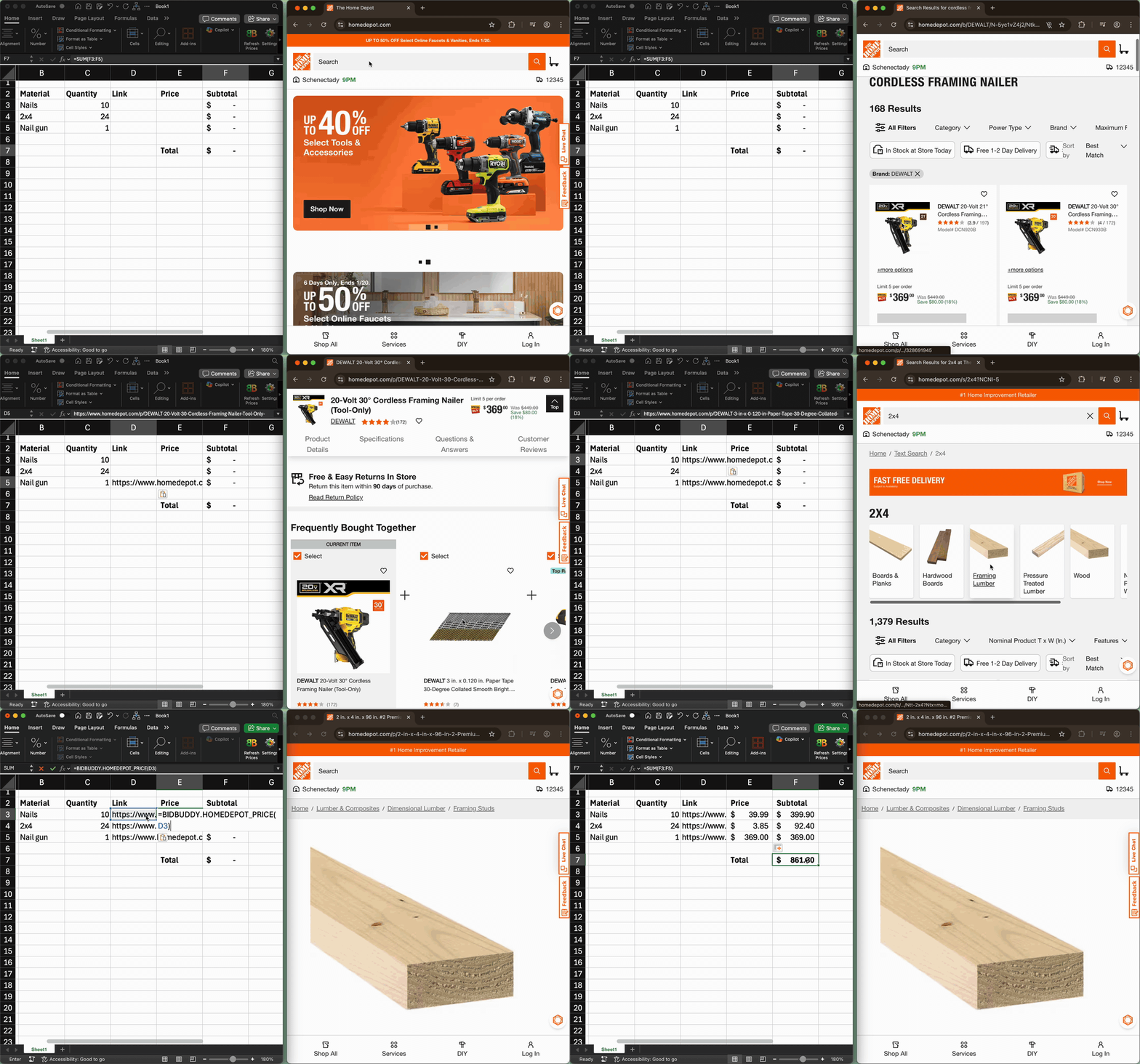
The problem
You're bidding on a job and have already built your material list. You know what you need: 2x4s, nails, the same stuff you work with all the time.
The problem is that material prices change. You have to look up those prices again. And again. Every new bid, every resubmit, every time a client comes back two weeks later—you're back on homedepot.com, copying the same numbers into the same spreadsheet.
It's mind-numbing busywork. Hours you could spend on something constructive, wasted on the same data entry you've already done a hundred times.
The fix
BidBuddy adds one Excel function:
Paste a Home Depot product link straight from your browser, and BidBuddy automatically looks up the price.
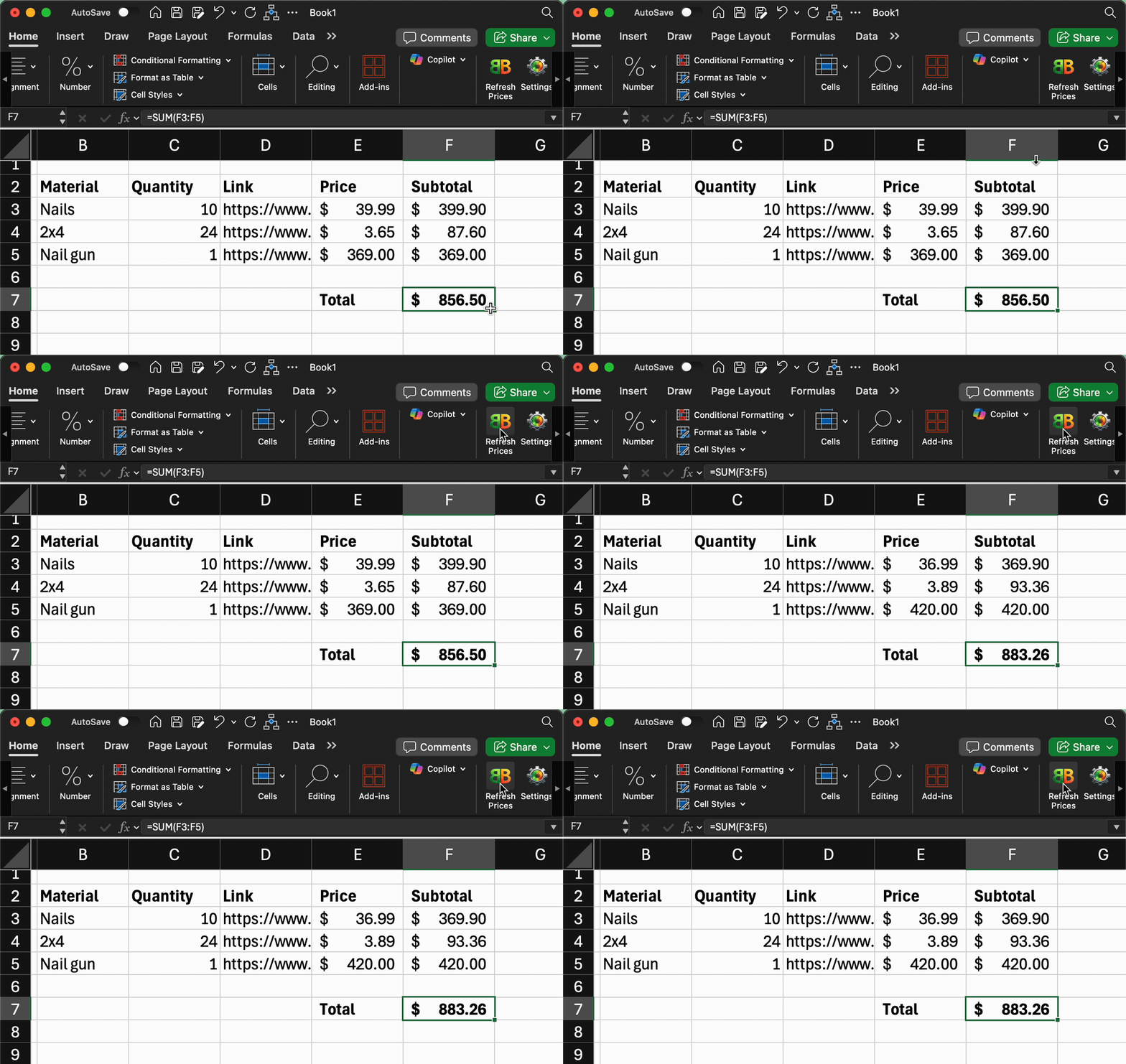
After that? Hit the Refresh Prices button and every price updates instantly. That bid from last month? You've got updated material prices in two seconds. The repetitive work is gone—you'll never manually look up those prices again.
Dead simple
If you can use =SUM(), you can use this. It's just another formula.
- No new software to learn
- No workflow changes
- You stay in Excel the whole time
Build your bid the way you always have. Just use =BIDBUDDY.HOMEDEPOT_PRICE() instead of copy-pasting.